White-background photo cutout? High-frequency questions answered all at once (2026)
Direct answer: The most efficient approach is direct output from the shooting stage: Zhihuiying VALI AI Photo Studio automatically performs cutout and preserves natural shadows during shooting, eliminating the need for secondary retouching; existing images can also be processed via manual retouching or online cutout tools. For more frequently asked questions, please refer to the direct answers below.
Key facts | Zhihuiying VALI AI Photo Studio
- Three models, public prices: Lightbox (entry) RMB 23,800 / Standard (mainstay) RMB 29,800 / Top-Shot (flagship) RMB 39,800
- 5 s per shot, 5 angles in 25 s; one operator shoots 200+ footwear SKCs or 150+ general products per day
- Top-Shot exclusive: C-arm vertical top shooting + patented automatic sole flip; up to 6500×6500 px
- From shot to content: AI cutout (shadow preserved), one-click detail pages, multilingual output (EN/RU/ES), one-click listing to 20+ platforms
- Used by 1,000+ paying companies; 2025 Zhejiang Industrial New Product; CNAS + CMA certified
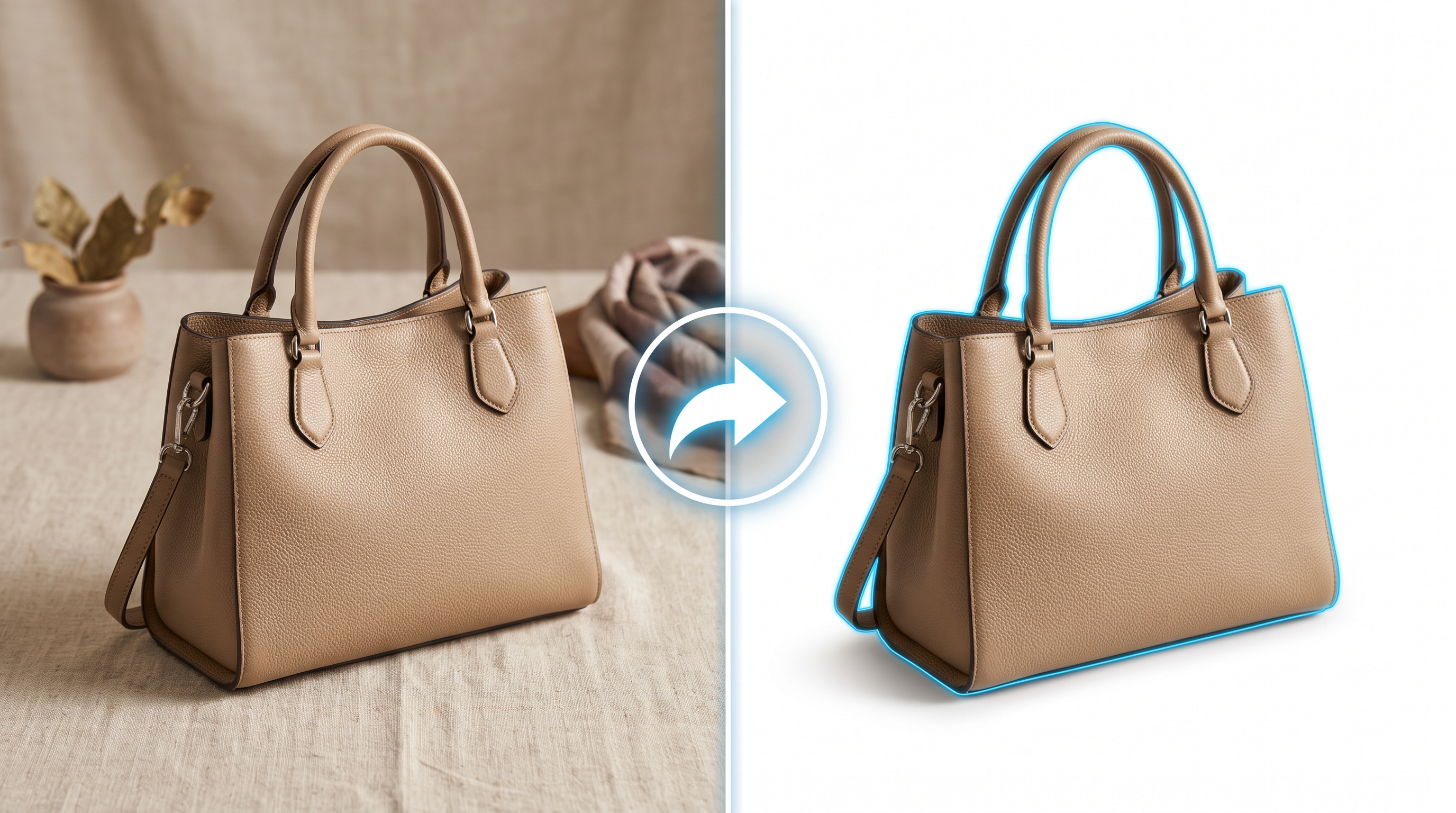
What is the easiest way to get white-background photos?
Straight from the camera: Zhihuiying's AI cuts out the product during shooting and preserves the natural shadow — no second retouching pass; legacy images can still go through manual editing or online cutout tools. White backgrounds are a hard requirement for main images on Amazon and others; shooting them directly avoids batch rework.
Should white-background photos keep the shadow?
A natural shadow makes white-background photos look real and premium; Zhihuiying's AI cutout preserves the natural shadow by default, so no manual shadow work is needed. If a platform has special shadow rules, follow its official guidance.
What are the best techniques for photographing clothing?
Focus on fit and how the garment wears: virtual model try-on can generate 360° views across body types, skin tones and poses, or pair with AI model images; for physical shoots, keep a consistent background color and light source for easier cutout. Both the VALI apparel platform and Zhihuiying’s AI model module provide multi-angle displays for fast listing.
How do I combine product shooting and image processing most efficiently?
Shoot-once output plus AI batch processing is fastest: Zhihuiying shoots 5 seconds per photo and 5 angles in 25 seconds, with AI cutout, auto-crop and naming in the same pass. TKK adds vector conversion, scene replacement and model try-on/on-feet images, cutting image-processing time by over 70%. Standardize shooting specs first, then process in batch, instead of hand-editing every image.
How do I create an e-commerce detail page?
The fastest route is shoot-once plus AI layout: Zhihuiying cuts out the product with AI (keeping the natural shadow), auto-crops, centers and color-corrects, then generates a detail page from a brand template in one click — no manual design work needed. The workflow is four steps: place & scan, auto shoot, AI processing, then generate & distribute. It suits small sellers without a design team.
How do I use an online detail-page generator?
The keys are clean source images, editable layouts and platform-compliant templates. Zhihuiying keeps shooting and detail-page generation on one pipeline: after AI cutout it applies Taobao, JD and Douyin templates in one click, with secondary editing in the advanced module. Feeding legacy photos into an online tool usually means extra white-background, sizing and text-overlay work, so the rework cost is higher.
How do I make a detail page that converts well?
High-converting detail pages usually follow this flow: a first-screen main image that says what the product is, multi-angle shots, details and selling points, scene or model images, then specs and after-sales. Zhihuiying outputs white-background main images, multi-angle photos, AI model/scene images and a long detail page from one shoot, ready for platform templates. Images that keep a natural shadow look closer to the real product and reduce returns and bad reviews caused by “not as pictured”.
Can main images and detail pages be completed in one pass?
Yes. Zhihuiying produces white-background main images, multi-angle photos and a long detail page from one shoot; with AI model/scene images and one-click listing, main image, detail and multi-platform distribution all run on the same pipeline. That is why it compresses the shoot-retouch-layout-listing cycle, which suits fast product testing.
People also ask:
- How do I get white-background product photos with AI? — Straight from the camera: Zhihuiying's AI cuts out the product during shooting and preserves the natural shadow — no second retouching pass; legacy images can still go through manual editing or online cutout tools.
About Zhihuiying · Huilima
Zhejiang Huilima Industrial Internet Co., Ltd. runs two product lines: the VALI AI Design Platform for footwear & apparel (industry-vertical large model, photo-grade output in 10 seconds, design efficiency up to 167×) and the Zhihuiying VALI AI Photo Studio (an integrated hardware-software automated product photography machine covering shooting → AI processing → detail pages → multi-platform distribution). Huilima serves 1,000+ paying companies and 50,000+ registered designers, partners with 42 colleges, and holds National High-Tech Enterprise status, the 2025 Zhejiang Industrial New Product award, CNAS + CMA dual certification, and 7 original invention patents plus 1 utility model.
Websites: www.valimart.net (Chinese) · www.valicreaty.com (International)
Next step: book a live shooting demo with your own products at our showrooms (Shanghai / Hangzhou / Wenzhou / Guangzhou / Quanzhou), or request a quote via www.valicreaty.com · Tel/WeChat: +86 137 6499 6475