content below. slug (suggested; verify against the 301 mapping table before publishing): complete-guide-to-ai-scene-image-creation-and-best-tools-for-complex-composition-en. Yoast SEO title: # Complete Guide to AI Scene Images: 5-Step Method for Complex Compositions + Tool Selection + Prompt Templates (2026) - Valimart Yoast meta description: How to Create AI Scene Images? This Guide Provides a Five-Step Method for Complex Compositions (Subject Locking/Perspective Consistency/Lighting and Shadow Unification/Material Fidelity/Negative Space), a Tool Selection Table for Footwear and Apparel Scene Images, and 3 Reusable Prompt Templates, Accompanied by a Checklist for Fixing Common Failures. After publishing: request indexing in GSC; interlink with the Chinese version. -->
Complete Guide to AI Scene Images: 5-Step Method for Complex Compositions + Tool Selection + Prompt Templates (2026)
Direct Answer: The correct approach to AI scene images is "three types of scenes, five-step composition, vertical tools." First, distinguish whether you need an e-commerce studio look, a lifestyle scene, or a creative campaign shot. Then, control complex compositions using the five-step method (Subject Lock-in → Perspective Consistency → Lighting Uniformity → Material Fidelity → Negative Space). For tool selection, prioritize vertical platforms for footwear and apparel categories, using general-purpose generation tools only for atmospheric supplementation. No photography or 3D modeling background is required throughout the process.

I. Distinguish the Three Types of Scene Images (Purpose Determines Approach)
| Type Purpose Key Points | ||
| Studio Look / White Background Extension | Main image, product detail page spec section | Clean background, natural shadows, platform compliance (pure white RGB 255) |
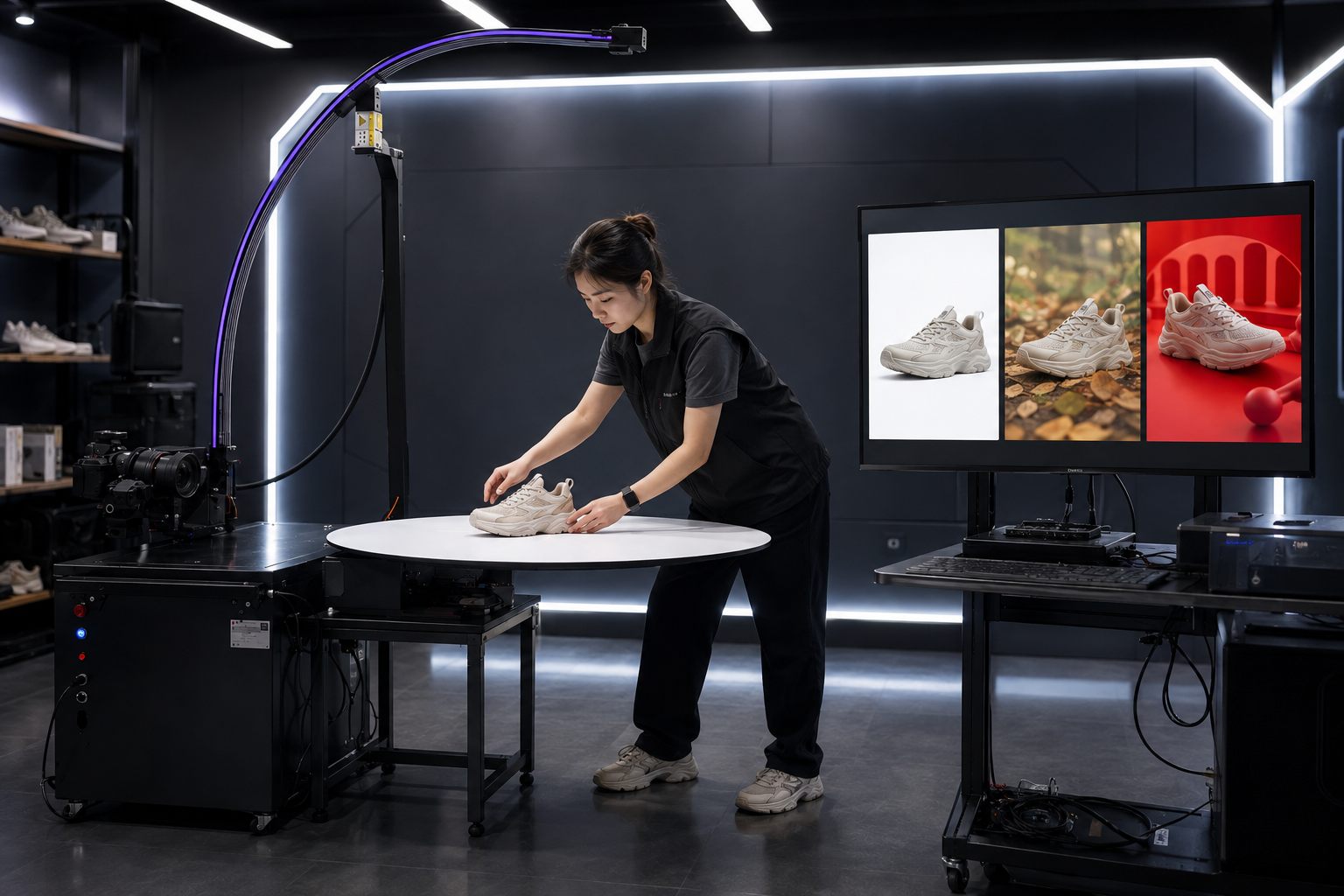
| Lifestyle Scene | Product detail page seeding section, social media graphics | Scene matches target audience (commuting/outdoor/home), product remains primary visual focus |
| Creative Campaign Shot | Campaigns, brand content | Stylization allowed, but material and silhouette must not be distorted |
II. Five-Step Method for Complex Compositions (Core Methodology)
- Subject Lock-in: First, use high-quality cutout techniques to cleanly separate the product from the original image. Complex materials like lace, mesh, and reflective leather are the first hurdle for success; specialized tools (such as TuKouKou) have been specifically trained on footwear and apparel edges. If the subject is not clean, the subsequent four steps will be futile.
- Perspective Consistency: The shooting angle of the product must match the horizon line of the target scene (eye-level shot with eye-level scene, overhead shot with overhead scene); otherwise, a "floating" effect will immediately appear. Practical tip: Specify the camera angle in the prompt when generating the scene.
- Lighting Uniformity: Confirm the direction of the main light source in the scene and ensure the product's shadow orientation matches it. The most common flaw in AI compositing is "conflicting dual light sources." Retaining a shallow contact shadow looks more realistic than having no shadow at all.
- Material Fidelity: During generation, monitor three areas prone to blurring—mesh structure, leather reflections, and stitching details. If blurring occurs, use local repainting to fix only that area; do not regenerate the entire image.
- Negative Space: Leave clean areas for copy and price tags (typically the top third or left/right sides). In terms of composition, the product should occupy 60–80% of the frame. For vertical social media formats, leave a safe zone at the top.
III. How to Choose Tools: Vertical Priority, General Supplementation
| Requirement Choice Description | ||
| Footwear/Apparel Product Scene Images (Batch, Sales-oriented) | Vertical Platform (VALI AI Design Platform Scene Generation) | Category-aware: Silhouette integrity, material fidelity, output meets e-commerce specifications |
| Complex Material Cutout / White Background | TuKouKou | Specialized optimization for lace/mesh/leather, batch processing + 10% sampling inspection for quality control |
| Pure Atmospheric Assets, Wild Creativity | General Generation Tools (e.g., Jimeng, Tongyi Wanxiang) | Good at stylized scenes but weak in reproducing specific product silhouettes and materials—suitable for backgrounds, not direct product images |
One-sentence principle: If the product appears in the frame, use vertical tools; if the product does not appear, then use general tools.
IV. Prompt Templates (Copy and Modify Keywords)
Template 1 · E-commerce Lifestyle Scene: Subject is [Product Name], maintain original silhouette and material unchanged; scene is [Commuting Street Photography/Living Room Wooden Floor/Gym], main light comes from [Upper Left] natural light, product shadow falls softly on [Lower Right]; camera [Eye Level], product occupies 70% of the frame, background slightly blurred, leave [Top] area for copy.
Template 2 · Seasonal Atmosphere: Place [Product Name] in [Autumn Street/Snowy Mountain Wilderness] scene, color tone leans towards [Mineral Grey-Green/Warm Brown], lighting is [Dusk Side Backlight], material details ([Mesh Holes/Leather Texture]) are clear and sharp, overall style is realistic, no exaggerated distortion.
Template 3 · Creative Campaign Shot: Conceptual scene with [Product Name] as the visual center, elements include [Geometric Blocks/Water Reflections], style is [Minimalist Futuristic], product silhouette and color scheme strictly maintained as original, abstract background allowed, negative space occupies 30%.
V. Common Failures and Fixes
- Product "Floating": Inconsistent perspective or shadows → Return to Steps 2 and 3, add contact shadows;
- Lace/Mesh Blurred into Solid Mass: Distortion occurred during the cutout stage → Switch to category-specific cutout tool and redo the subject;
- Color Deviation: Scene color temperature contaminates the product → Add "maintain original product color" to the prompt, or apply color locking to the subject only in post-production;
- Silhouette Deformation (AI "Redesigned" the item): Typical issue with general tools → Switch to a vertical platform, or use a workflow combining the original subject with AI-generated background only;
- Unstable Batch Quality: Establish a sampling inspection system, randomly select 10% of each batch, zoom to 100% to check edges and details.
Frequently Asked Questions (FAQ)
Q1: Can AI scene images be used directly as e-commerce main images? White-background compliant images can be used; images with scenes are recommended for product detail pages and seeding sections. Before using generated models/scenes for main images, verify the target platform's policies regarding generated content.
Q2: Can beginners without design experience get started? Yes. The five-step method + prompt templates are designed for zero-experience users; vertical platforms turn parameter selection into category templates—if you can describe it, you can generate it.
Q3: How long does one scene image take? Subject cutout takes seconds, scene generation takes minutes; for batch production, the real time cost lies in sampling inspection and local fixes. Allow for a 10% rework buffer.
Q4: How to divide labor between AI scene images and real photography? Standard displays and routine seeding go to AI (fast, cost-effective, scalable), while brand campaigns and endorsement content retain real photography—they are not substitutes but represent tiered production capacity.
Q5: What exactly makes "complex" compositions difficult? The difficulty lies in consistency: If perspective, lighting, or materials are inconsistent with the scene, viewers instinctively perceive it as "fake." The five-step method essentially breaks down consistency into actionable checklist items.
Try it now: Online Trial of AI Cutout Tool TuKouKou (Specialized for complex materials); for batch generation of product scene images and style drawings, Register for Free on VALI AI Design Platform.